Product Overview
The Connector is a Microsoft Project plug-in/extension that will allow for direct access to Atlassian JIRA. The extension works with Microsoft Project 2003 - Microsoft Project 2007 and Atlassian JIRA 3.6 and greater. The extension can be used in standard mode or extended mode. Using the standard mode, the plug-in accesses and uses the stock JIRA web services that are provided when JIRA is purchased. The extended version adds some additional functionality but requires the installation and configuration of Ecliptic Technologies custom JIRA web services. Using the extended mode, you can have The Connector update actual percentages complete of JIRA issues based on the time entered against an issue in JIRA, import and create sub-tasks, and exchange custom field data with JIRA and Microsoft Project.
Importing Issues
The Connector provides a powerful and flexible tool for importing issues from JIRA to Microsoft Project. Using the import wizard of The Connector, you can import issues from any JIRA project directly into Microsoft Project. A variety of importing filters and options are available to importing and grouping JIRA issues. Some of the options are listed below:
- Import from multiple projects and JIRA filters
- Save and reuse import profiles
- Share import profiles with other team members or project managers
- Import sub-tasks
- Group imported issues
- Sort imported issues
- Filter by status, type, resolution and priority
- Filter by version and components
- And more...
Import Wizard (Screenshot)
Select Projects (Screenshot)
Import Filters (Screenshot)
Grouping and Sorting (Screenshot)
Assignment Options (Screenshot)
Exchange Data between JIRA issues and Microsoft Project tasks
The Connector can exchange data with Microsoft Project and JIRA in both direction. The Connector provides three functions for this exchange. 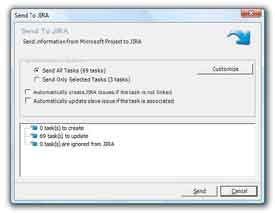
- Send To JIRA - Allows data from Microsoft Project to be sent to JIRA. Issues can be both updated and created.
- Update From JIRA - Allows data from JIRA to be updated into Microsoft Project. Data like the worklogs and percentage complete of task in your plan can be updated.
- Sync All - Provides a way to synchronize data in both directions in one step. You can send new tasks to JIRA and update values back to Microsoft Project.
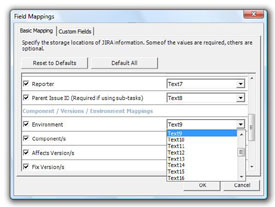
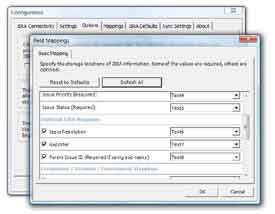
Advanced mapping functionality allows you the ability to control what information is exchanged with JIRA giving flexibility for a wide variety of uses.
Send To JIRA (Screenshot)
Processing (Screenshot)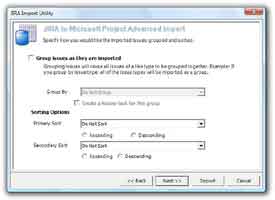
Customize (Screenshot)
Direct Access to JIRA through a Microsoft Project toolbar
The Connector creates a custom toolbar inside Microsoft Project which allows quick and easy access to JIRA while you work on your project plan. Direct links to the JIRA issues from the Microsoft Project tasks allow you to quickly and easily look at information in both systems.
The Connector also creates an menu option on the main menu of Microsoft Project which allows access to all the functionality of The Connector.